Rainbow
What you're already familiar with, just with more color!
Do you like the aesthetic of folders sorted by color?
Don't spend all the time doing it yourself!
Join the beta and try a more colorful home screen!
Closed beta on Google Play
Join the tester group, opt in on Google Play, then install.
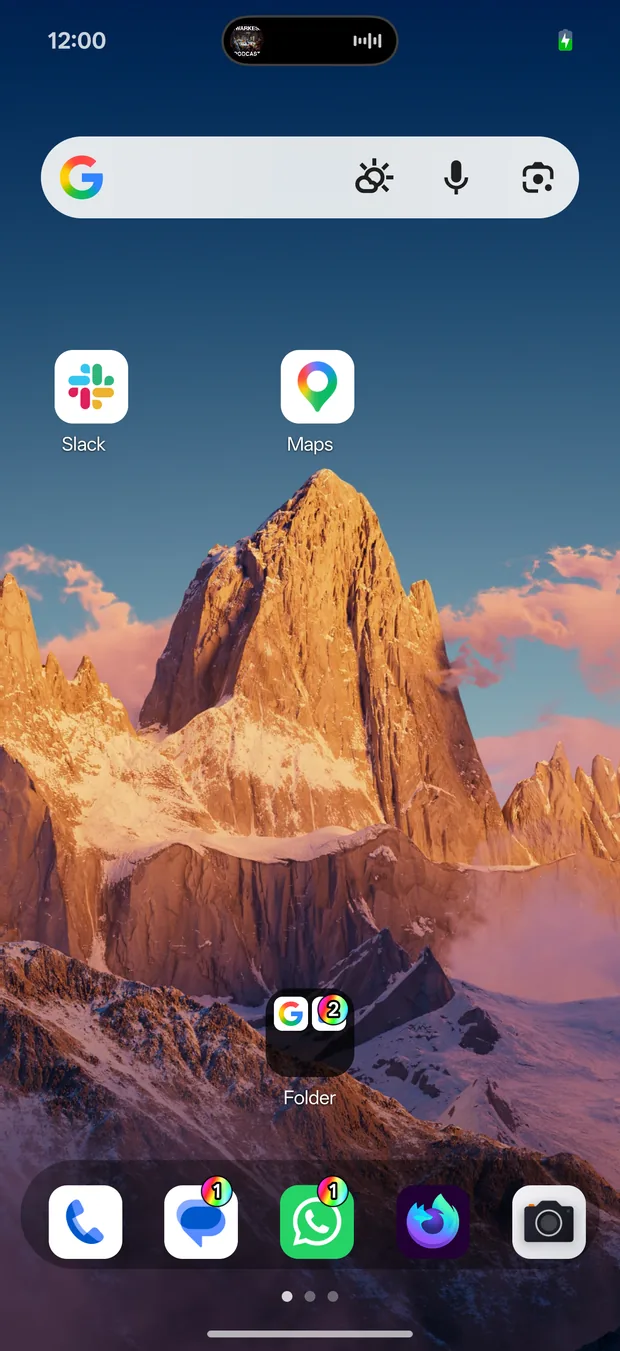
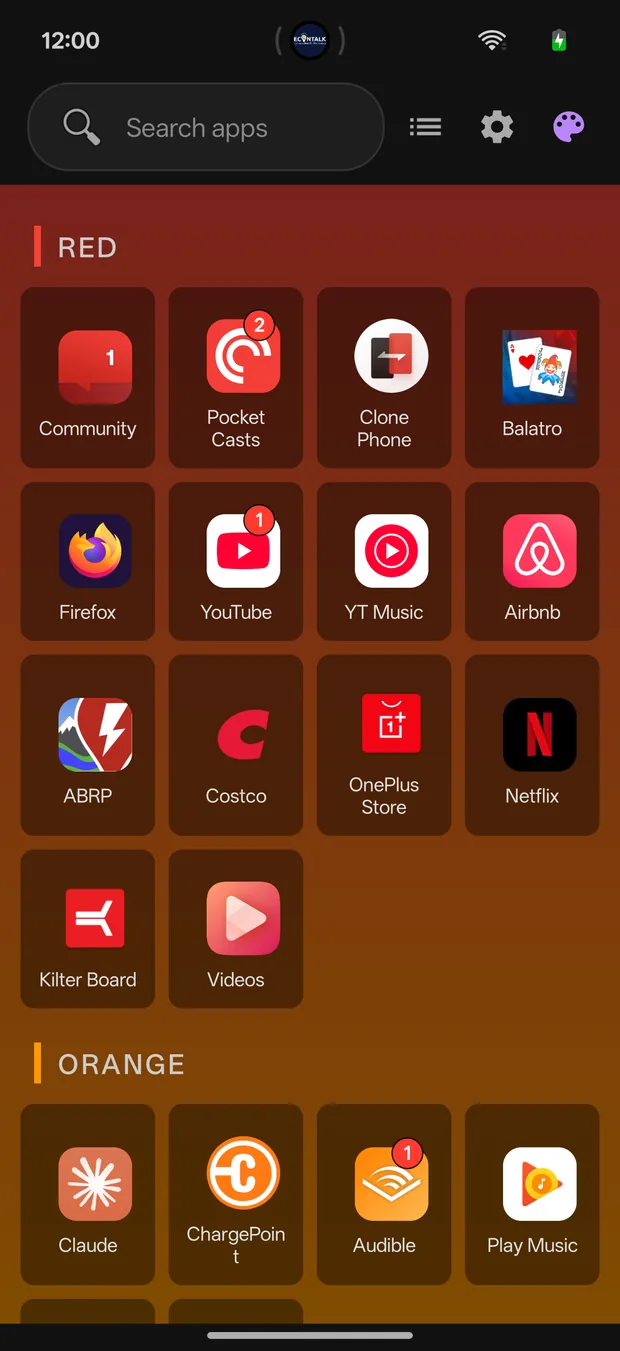
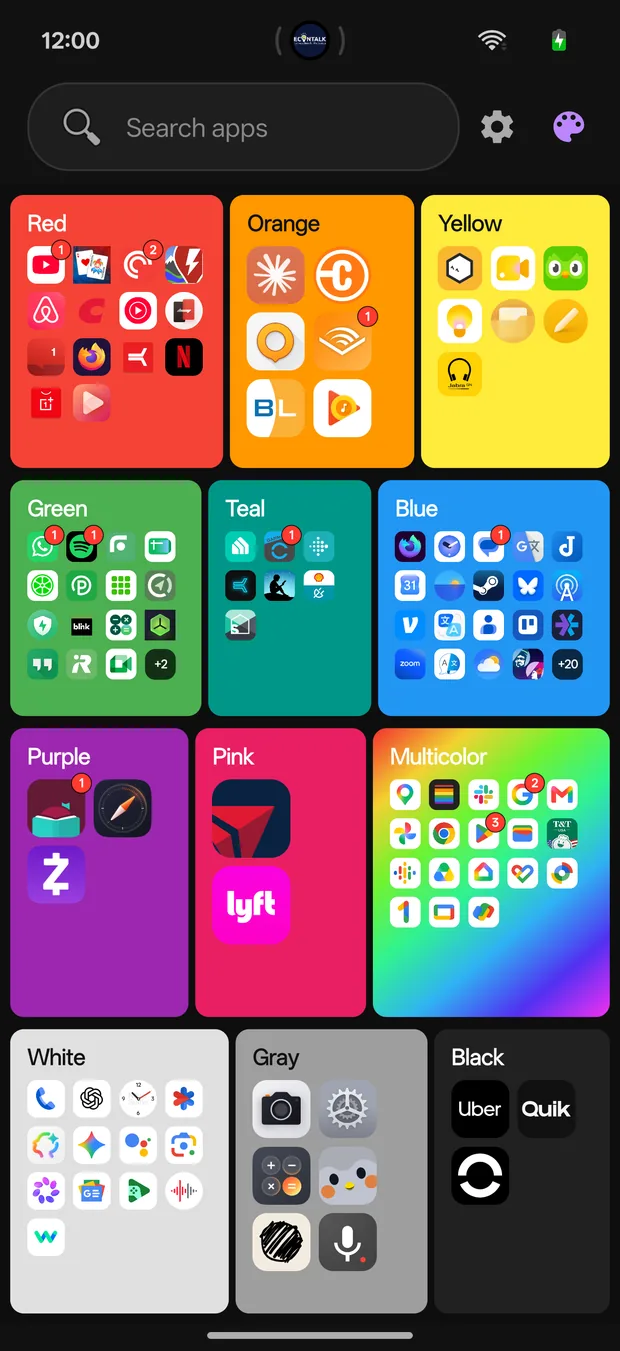
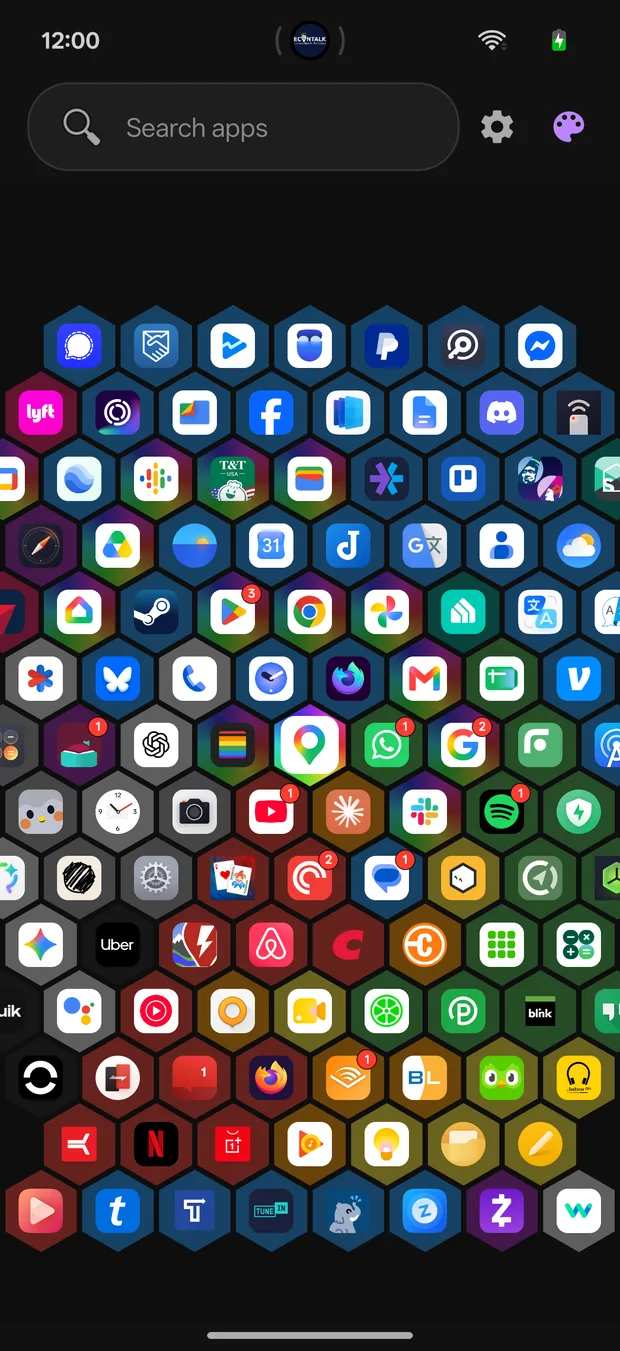
Free views
Launching with 3 different views on day one
What you're already familiar with, just with more color!
One tile per color, two taps to anything!
A hex spiral, for the 🐝s with a samsung galaxy
On the way
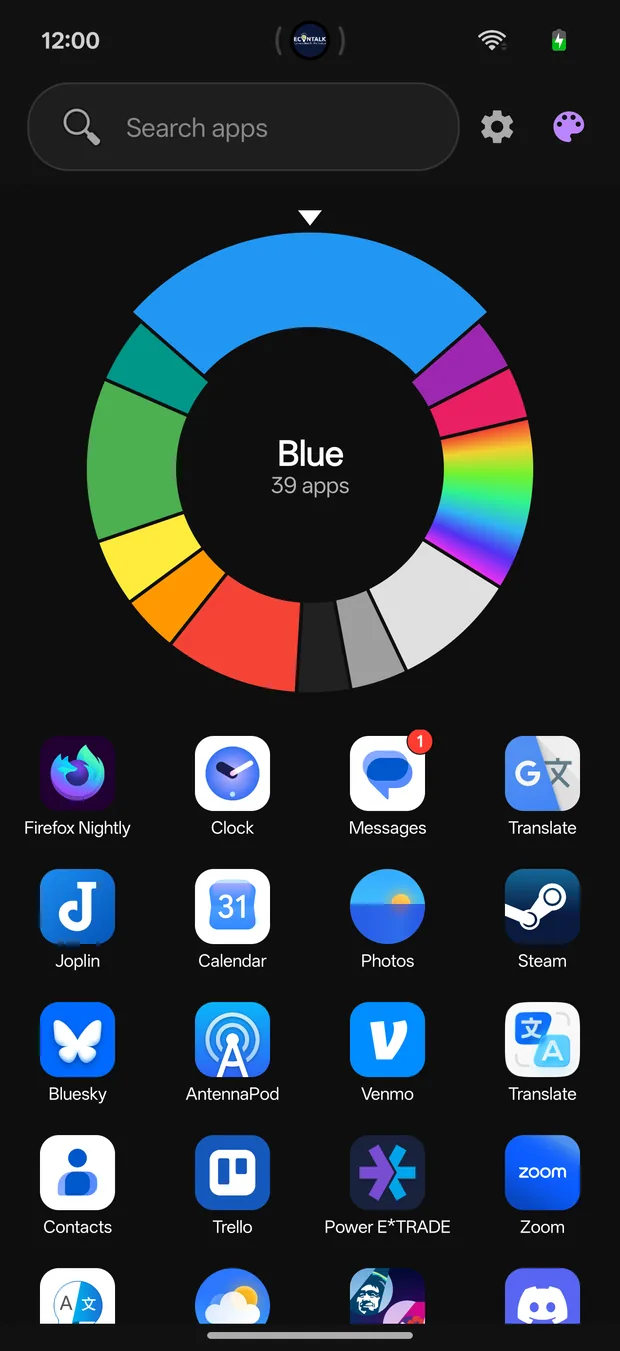
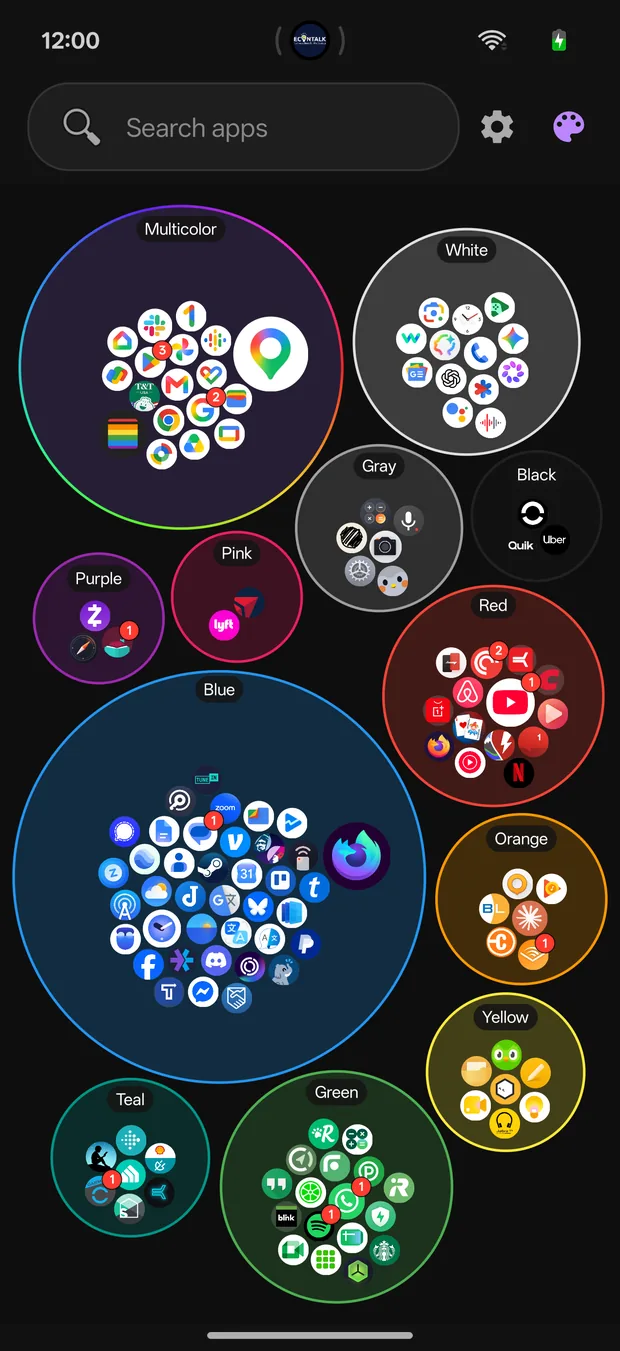
For those that want MORE (or just want to support the developer ❤️) there are 6 more views for $3 coming soon. Here's a sneakpeek for two of them!
A color wheel you can spin.
WHEEEEE!!!
Each color a cluster, the apps you use most drawn largest. Sadly you can't pop the bubbles like bubblewrap :(
Privacy
No ads, no analytics, no accounts, no tracking.
Closed beta
Use the same Google account for the group, the testing page, and Google Play on your Android phone. Follow these steps in order.
Open Hue-istic Beta Testers and choose to join the group. You need to be a member before Google Play will let you join the test.
Join the Google GroupOpen the testing page and select “Become a tester”. Joining the group alone does not opt you into the beta.
Join the Google Play testOpen the store listing on your Android phone, install Hue-istic, and try it as your home screen launcher.
Install from Google PlayCan’t access the test? Check that all three steps use the same Google account. If you just joined or the test was just published, allow time for Google Play to update and try again. If you’re already in the internal test, leave it before joining this closed beta.
Found a bug or have feedback? Email the developer with your phone model and what happened.